

You might have heard a lot about wireless networking, wireless access points and wireless computing, but what is wireless technology really all about?
What is wireless technology?
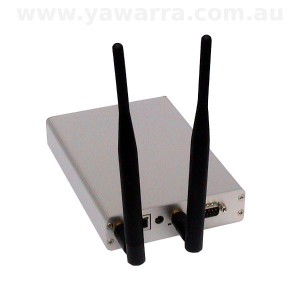 Wireless technology uses radio waves to transmit information without cables or wiring.
Although wireless communications have been used since 1876, the technology is now being widely used to create wireless computer networks.
There are many standards for wireless communications, including Bluetooth, DECT and WiMax.
WiFi or 802.11 is a set of standards designed for wireless ethernet LANs (local area networks) and is the protocol used by all of our miniPCI wireless cards.
See below for a comparison of the common wireless standards.
Why would I want to use wireless technology?
There are two main advantages of using wireless technology for computer networks:
- mobility, and
- cost-savings
Mobility
Using a wireless network means that you can move about freely, within your home, business or even your city, and still maintain a connection to other computers on the same network.
Cost savings
Installing cabling can be expensive, especially over long distances, in difficult terrain, or in established buildings, so it can save you a considerable amount to use a wireless network instead, provided the environment is suitable.
For WANs (wide area networks), using wireless technology also means you don’t have to pay for access to existing telecommunications infrastructure.
Typical uses
Typical uses of wireless technology include:
- a home or small business wireless access point that gives access to the internet for one or more desktops, laptops, tablets and mobile phones
- linking two buildings that are physically separate e.g. business premises, farm buildings, temporary or mobile sites
- hot spots in public places e.g. hotels, restaurants, marinas, caravan parks
- wireless ISP infrastructure (used for both network backbones and to provide customer services)
- remote access to equipment, such as remote sensors or device controllers e.g. irrigation systems, temperature sensors, security cameras
What do I need to use wireless technology?
To build your own wireless network, you’ll need the following:
1. Computer
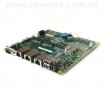
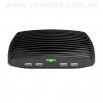
 To make use of a wireless network, you’ll need wireless-capable computers and devices such as wireless access points or wireless routers. You can build your own access point or router using dedicated hardware, like the ALIX and net servers that we sell, or you can buy an off-the-shelf product.
2. Wireless card
 Wireless expansion cards (also called wireless adapters) handle the processing of the data that is transmitted or received over a wireless network. Each card supports one or more of the 802.11 standards, and has different characteristics with regard to the chipset used, maximum output power, speed, receive sensitivity, etc. Wireless adapters are available in a variety of formats, including miniPCI and PCI, PCMCIA (CardBus) and USB. All of our wireless cards are miniPCI type 3A or 3B.
3. Antenna
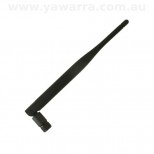
 As with other radio devices, wireless computers can use antennas to improve reception and transmission quality. Each antenna has a distinctive pattern of radiation, with omni-directional (360°) being the most common. Antennas can also be directional or sectorised, with transmission and reception occurring in a narrower, more specific direction. The gain of an antenna in combination with the output power of the wireless card, determine the output power (EIRP) of a wireless device.
4. Pigtail
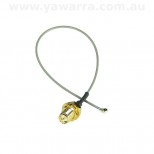
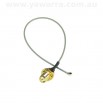 A pigtail is used to connect a wireless card to an antenna. Some pigtails connect directly from the wireless card to the antenna, while others connect from another pigtail to the antenna, allowing for more distant placement of the antenna from the wireless card. With these longer pigtails, loss of signal can occur, so using special low-loss cable (LLC or LMR) is recommended.
It’s important to make sure you have compatible connectors on your card, pigtail and antenna. The wireless card connectors are usually u.fl (or I-PEX), MMCX or MCX. The antenna connectors are generally of type N, SMA or TNC. Connectors can also be male or female (you need a matching pair) and straight or reverse polarity (you need the same polarity). All of our wireless cards have u.fl compatible connectors and our pigtails and antennas are either N-type or reverse SMA.
5. Software
Lastly, you need software to run all of this wireless hardware. You’ll need drivers for your wireless card and a network-capable operating system. You can find links to drivers for our wireless cards and various operating systems on our useful software page.
The rest is up to you!
What else do I need to know?
There are limits on the power you can output
The low-powered radio waves used by the 802.11 protocols are generally regulated under a class licence, which means anyone is allowed to use them. However, there are legal limits to the power you are allowed to output from a wireless device in these spectrums. In Australia, the limit is 4W (36 dBm) for 2.4 GHz and 4W (36 dBm) for 5.8 GHz.
To use other frequencies or output power above these limits requires a licence from the Australian Communications and Media Authority (ACMA).
For more details, you’ll need to read the current class licence from the ACMA for radiocommunications.
To calculate the output power or Equivalent Isotropic Radiated Power (EIRP) of your system, you can try one of these calculators:
- EIRP System Calculator at Benelec
- EIRP Calculator at AirStream Wireless
You might also find this dBm to Watt conversion table useful.
Power isn’t everything
When choosing the right wireless card for your application, it’s important to realise that power isn’t everything. In fact, in some situations, too much power can be a problem.
You also need to take into account factors such as receive sensitivity and the operating frequency ranges.
Receive sensitivity is the capability of a wireless card to pick up weak signals, which can be more important than its power output. The lower (or more negative) the value, the more sensitive a card is.
For example, at 11MBps the receive sensitivity of the Ubiquiti cards is -92dBm, while the CM9’s is only -88dBm.
To help you decide which card is right for your application, check out our comparison of our miniPCI wireless cards.
It’s not as secure
Because you’re broadcasting your signal into the open air, wireless networks are more vulnerable to eavesdropping.
Although there are ways of securing your information when sending it wirelessly, it’s something to take into account when deciding whether wireless technology is right for you.
dBm vs dBi
Some of the terminology used in wireless networking can be confusing. One common source of confusion is the very similar terms dBi and dBm.
- dBm is a measure of the output power of a system. This can also be measured in Watts. (see above)
- dBi is a measure of the gain of an antenna. Gain is the way in which an antenna redistributes and focuses the output power of a wireless card.
Although the two are related (gain affects power output) they are not the same thing and should not be used interchangeably.
Our glossary contains definitions of these and a number of other related terms.
Installation tips
Wireless cards, like all electronic equipment, are sensitive to damage from static discharge, especially the RF switch and the power amplifier.
To avoid damage caused by static discharge, we strongly recommend that you do the following when installing a wireless radio card:
- Touch your hands and the bag containing the wireless card to a ground point on the board (for example one of the holes in the corner of the board). This will equalise the potential of the wireless card and board.
- Insert the radio card into the miniPCI slot on the board.
- Install the bulkhead end of the pigtail into the case. This will ground the pigtail to the case.
- Touch the u.fl end of the pigtail to a ground point on the board to discharge any static, then attach the u.fl end to the connector on the wireless card.
We also recommend that you use some form of lightning protection when using wireless cards and boards in outdoor locations.
Common wireless standards
The table below summarises the features of the 802.11a, 802.11b, 802.11g and 802.11n standards, which are most commonly used in wireless networking.
| Standard | 802.11a | 802.11b | 802.11g | 802.11n |
|---|---|---|---|---|
| Frequency | 5.8GHz | 2.4GHz | 2.4GHz | 2.4GHz / 5.8GHz |
| Max legal output power (EIRP) | 4W / 36dBM | 4W / 36dBM | 4W / 36dBM | 4W / 36dBM |
| Legal frequency range and output power | 5.15-5.35GHz (up to 0.2W) 5.725-5.85GHz (up to 4W) |
2.4-2.4835GHz (up to 4W) |
2.4-2.4835GHz (up to 4W) |
2.4-2.4835GHz (up to 4W) 5.15-5.35GHz (up to 0.2W) 5.725-5.85GHz (up to 4W) |
| Theoretical maximum rate (Mbps) | 54 | 11 | 54 | 304 |
| Practical maximum rate (Mbps) | ~25 | ~7 | ~25 | 75-150 |
| Modulation technology | Orthogonal frequency-division multiplexing (OFDM) | Complementary code keying (CCK, variation of CDMA) | Orthogonal frequency-division multiplexing (OFDM) | Multiple Input Multiple Output (MIMO), including OFDM |
| Typical distance | Less than 802.11b | ~30m (indoor) ~8 km (outdoor point-to-point) |
Longer than 802.11b at lower speeds, but much less at 54Mbps | Less than 100m |
| Advantages | Spectrum less crowded so less interference. | Large range of hardware and software available. | Large range of hardware and software available. | Faster than other standards because it combines them. |
| Disadvantages | Less hardware and software available, especially antennas. Absorbed more readily. Need line-of-sight. |
Very crowded spectrum. Interference possible with other wireless devices, microwaves, Bluetooth, cordless phones. | Very crowded spectrum. Interference possible with other wireless devices, microwaves, Bluetooth, cordless phones and older 802.11b networks. | Less open-source support. Not for long distances. Interference possible with other wireless devices, microwaves, Bluetooth, cordless phones. |
| Suitable wireless cards | CM9 DCMA-81 DNMA-92 Ubiquiti SR5 |
CM9 DCMA-81 DNMA-92 Ubiquiti SR2 |
CM9 DCMA-81 DNMA-92 Ubiquiti SR2 |
DNMA-92 |
Buy the bits you need
What next?
- Learn more about wireless technology at Wikipedia
- Check out our handy comparison of our miniPCI wireless cards
- Browse our range of wireless products in the online shop
- Download spec sheets and drivers for our miniPCI wireless cards
- If you’re after pigtails and antennas we don’t carry, you could try RFShop Australia
Want more great articles like this?
Sign up for email updates and get them delivered straight to your inbox.
We'll also donate $5 to Voyage Linux, to support the ongoing development of this fantastic software.
Sign me up!

this information can help me for my upcoming ppt. thnks a lott!!!
You’re welcome :)
My Pleasure;-))
thank you for your information.
You’re most welcome!
Sweet, simple and to the point.
Thanks!
I like how all technology is wireless so you don’t need cable.