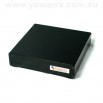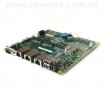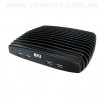

Your guide to sustainable computing
There’s more to sustainable business computing than just energy-efficiency.
When choosing ‘green’ computers, it’s also important to consider their whole life cycle, from design and manufacturing through to recycling and disposal, as well as their broader impact on the people and places around them.
There are three essential steps to making your business technology sustainable:
And we’d like to help you out with all three.
Step 1 – Minimise
There are lots of ways to minimise your ICT footprint without compromising performance or features.
1. Only buy what you need
Most people don’t need the fastest, biggest computer money can buy.
Word processing, email and web browsing rarely require more than 1GB of RAM or a super-fast quad-core processor.
Aim to buy computers with the minimum features and performance needed for the job, while allowing for any expected future growth.
2. Don’t replace computers that work
Many businesses routinely replace computers that are still working just fine, simply because they are considered ‘old’.
Before replacing your current computers, make sure that it’s absolutely necessary.
Better still, when you do upgrade, choose computers that are built to last.
Keep in mind that planned upgrades are important to avoid hardware failure and data loss, just less often.
3. Go small
There are lots of small computers available on the market today.
Being small they use less materials to manufacture, and so are easier on our limited resources.
These mini servers and desktop PCs also save valuable desk and server rack space.
4. Use energy-efficient computers
Regular desktop PCs can consume around 80W of electricity, plus a monitor and peripherals.
The best available energy-efficient computers use less than 10W.
These savings add up quickly in both emissions and running costs.
Also make sure to use any energy-saving software and settings on your computer to maximise these savings.
See how much you could save with our comparison of a regular PC with an energy-efficient fit-PC2.
5. Choose from the best
We’ve compared some of the best available energy-efficient computers in the table below to help you make a good choice.
| Computer | Power usage | Size (L) | Fanless? | HD display? | Speed | RAM | Software |
|---|---|---|---|---|---|---|---|
| ALIX 2 | 4W | 0.98 | Yes | N/A | 500MHz | 256MB | Unix, Linux, BSD |
| Utilite | 6W | 0.28 | Yes | Yes | Quad-core 1.2GHz | 2GB | Linux, Android |
| net5501 | 7W | 1.89 | Yes | N/A | 500MHz | 512MB | Unix, Linux, BSD |
| fit-PC2 | 8W | 0.31 | Yes | Yes | 1.6GHz | 2GB | Windows 7, Linux |
| fit-PC3 Eco | 11W | 0.64 | Yes | Yes | Dual-core 1.0GHz | 8GB | Windows 7, Linux |
| ViewSonic VOT120 | 14W | 0.58 | Yes | No | 1.6GHz | 1GB | Windows XP |
| Asus Eee PC 4G laptop | 17W | 0.85 | No | No | 900MHz | 512MB | Windows XP |
| fit-PC3 Pro | 17W | 1.22 | Yes | Yes | Dual-core 1.65GHz | 8GB | Windows 7, Linux |
| Intense PC | 19W | 1.22 | Yes | Yes | Dual-core 1.7GHz | 16GB | Windows 7, Linux |
| Asus Eee Box B201 | 20W | 1.06 | No | No | 1.2GHz | 512MB | Windows XP |
| uSVR (MicroSVR) | 22W | 2.50 | Yes | Yes | 2.5GHz | 16GB | Windows 7 / Linux |
| Dell Inspiron Zino | 52W | 3.45 | No | Yes | Dual-core 2.3GHz | 4GB | Windows 7 |
We offer a fantastic range of energy-efficient servers and desktop PCs.
If you’re looking for an energy-efficient desktop PC, you really can’t go wrong with a fit-PC2, a fit-PC3, a fit-PC4, a Intense PC or an Intense PC2 .
They really are the world’s most sustainable desktop computers.
For energy-efficient servers, our ALIX, net5501, net6501 and APU computers are low-power, high performance and rock solid.
Step 2 – Offset
Having chosen an energy-efficient, ultra-small and durable solution, you’ve made a fantastic start.
All that’s left is to offset the remaining emissions, and these days you can choose from tree planting, renewable energy, waste management, methane removal, carbon sinks and more.
We have discontinued our ‘Four Trees’ program, but while it was running, we planted thousands of trees in partnership with Greenfleet.
Thank you so much for your support.
If you’d like to continue offsetting the emissions of your equipment, please visit Greenfleet, and purchase 4 trees for each desktop computer.
Step 3 – Recycle
Once your computers are no longer required, then it’s time to think about disposing of them.
Don’t send them to the tip. There’s too much rubbish in landfill already, and your computers contain many valuable metals and resources.
You can send them to someone like Green PC, who’ll refurbish them and supply them to low-income communities, individuals and community organisations.
There are also recycling organisations, like 1800ewaste who’ll collect and recycle your electronic waste for a fee.
Let us take care of it
Or if that sounds all too hard, return your computers to us when you’re done with them and we’ll arrange for them to be recycled. Free of charge. Simple.
If you like the sound of that, give us a call when you’re ready to recycle and we’ll help you out.
We want to live in a world without waste – help us make it happen!